

This guide shows all users how to switch between multiple accounts using a single login on the Web version of Outperform.
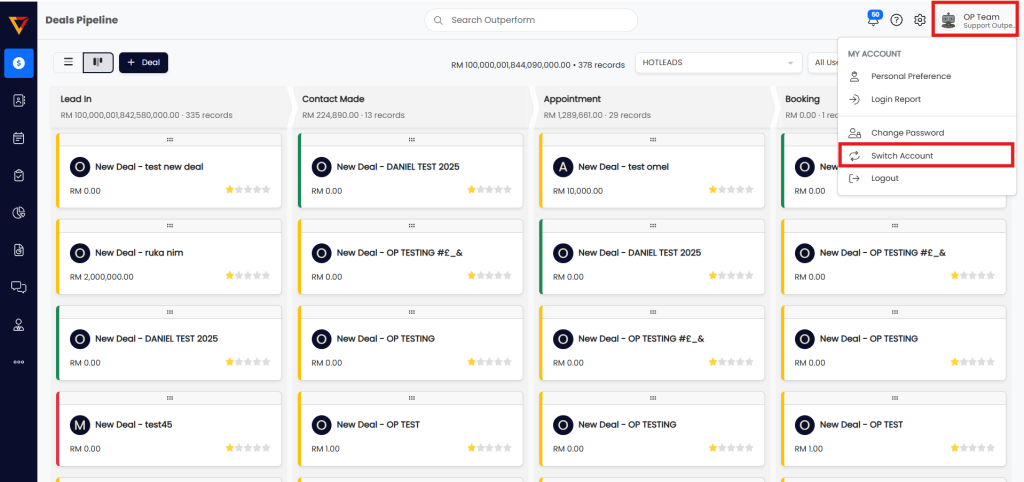
Step 1: Access the Switch Account Option
- Log in to your Outperform account (Web version).
- Click on your name/profile at the top right corner of the screen.
- Select “Switch Account” from the dropdown menu.

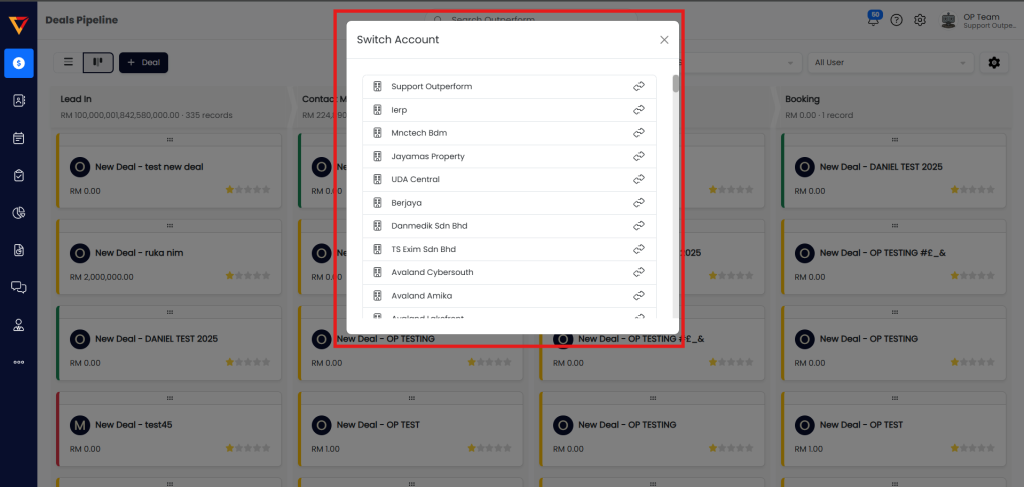
Step 2: Choose an Account
- A pop-up window will appear displaying the list of accounts linked to your login.
- Click on the account you wish to switch to.

Done!
You are now logged into the selected account without needing to log out.
✅ Pro Tips
- This feature is helpful if you manage or belong to multiple companies or departments.
- If you don’t see an expected account, contact your admin to verify access.
- Use account switching to stay organized and avoid duplicate logins.