
Hi, how can we help you?
How to Create a Meetup in OutPerform (OP)
This guide shows Admin and Manager users how to create meetup meetups within Outperform,
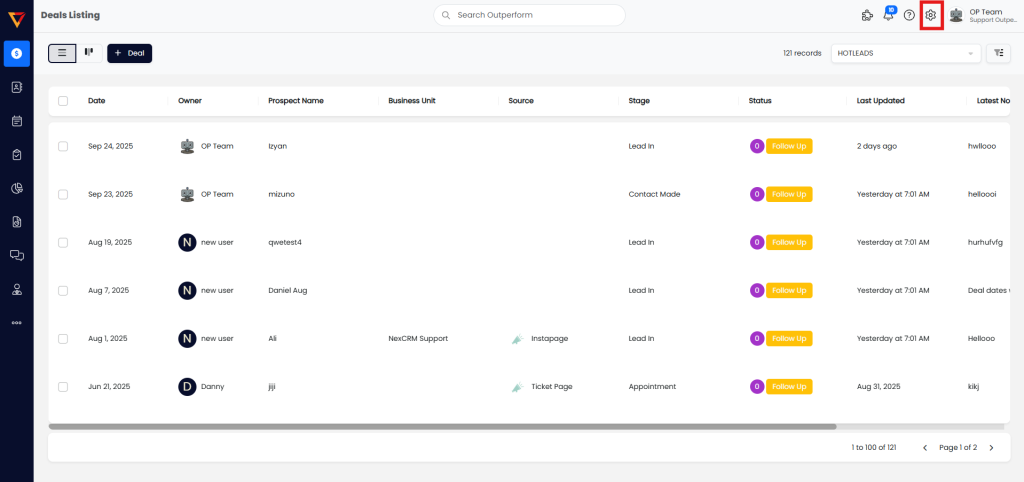
Step 1: Go to Settings
- Login to your OutPerform account.
- Click on the Settings option from the top-right drop-down menu.
Step 2: Open Meetup Settings
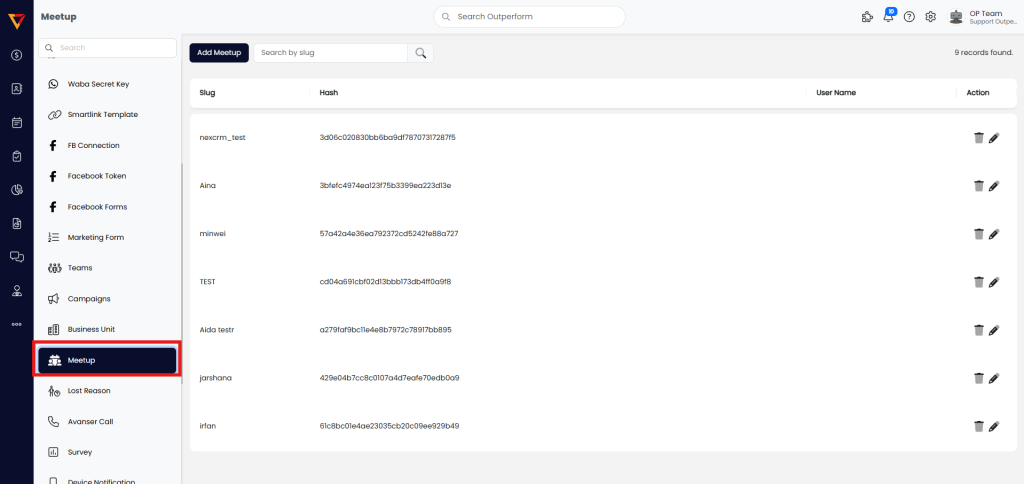
- In the Settings page, click on Meetup from the left-hand menu.
Step 3: Add a New Meetup
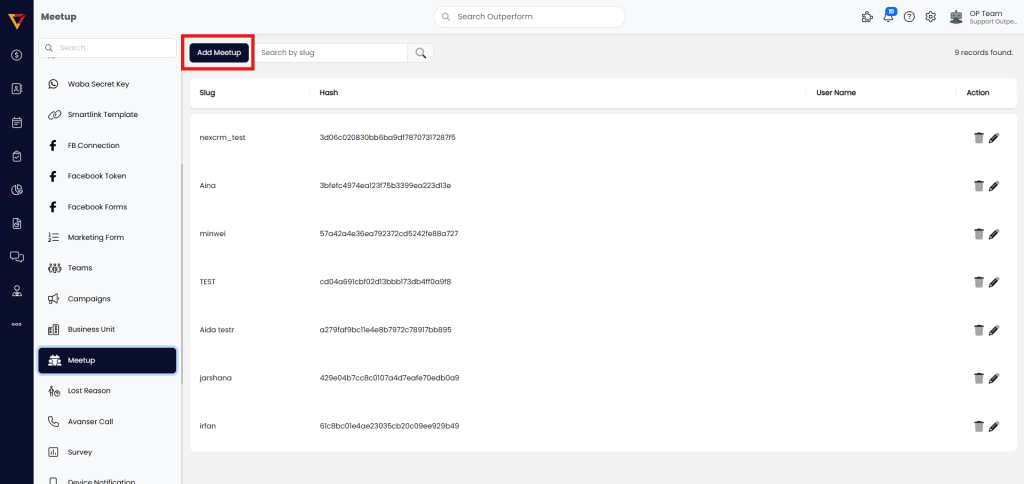
- Click on the Add Meetup button.
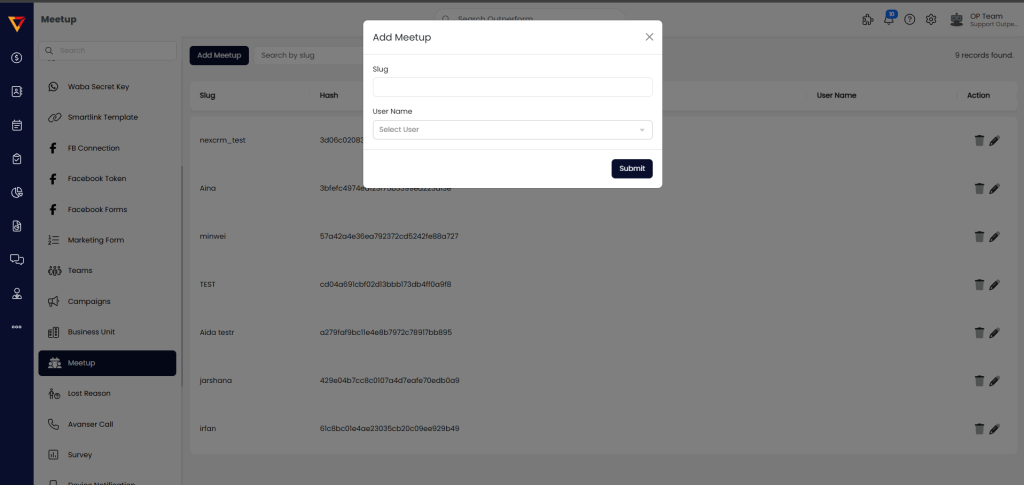
- Fill in the required details:
- Slug: Enter a descriptive name for the meetup.
- User Name: Select the users from the list.
Step 4: Submit the Meetup
- After filling in all the necessary details, click on the Submit button.
Done!
You have successfully created a meetup in OutPerform. The meetup will now appear in the Meetup list for the selected participants.